


MoonDog Source Code MT5 – Advanced Multi-Strategy Gold Trading
📑 Click to Expand: Explore the MoonDog Trading System
Built for structured, multi-strategy Gold trading
Discover MoonDog Source Code MT5, a MetaTrader 5 trading solution designed around breakout strategies, individual trade management, configurable risk controls, and market-condition filters. Its modular design brings multiple trading approaches together in one chart-based workflow.
🎯 Meet MoonDog Source Code MT5: A Modular Approach to Gold Trading
Gold can move quickly when market momentum changes, liquidity shifts, or major economic announcements approach. Managing every potential entry manually can be demanding, especially when several strategy rules and protective settings must be monitored at once.
MoonDog Source Code MT5 is designed to organize this process through a collection of breakout-oriented strategy modules for XAUUSD on MetaTrader 5. Instead of relying on a single entry concept, the system combines separate modules with trade-management rules and configurable safeguards.
For traders and developers exploring a multi-strategy Expert Advisor, this architecture offers a practical example of how entry logic, position sizing, and protection mechanisms can operate together. Actual results still depend on market conditions, broker execution, spread, slippage, and the selected configuration.
⚙️ MoonDog Source Code MT5: Technical Specifications
| Specification | Details |
|---|---|
| Product | MoonDog Source Code MT5 |
| Trading platform | MetaTrader 5 (MT5) |
| Primary instrument | XAUUSD / Gold |
| Trading approach | Multi-strategy breakout trading |
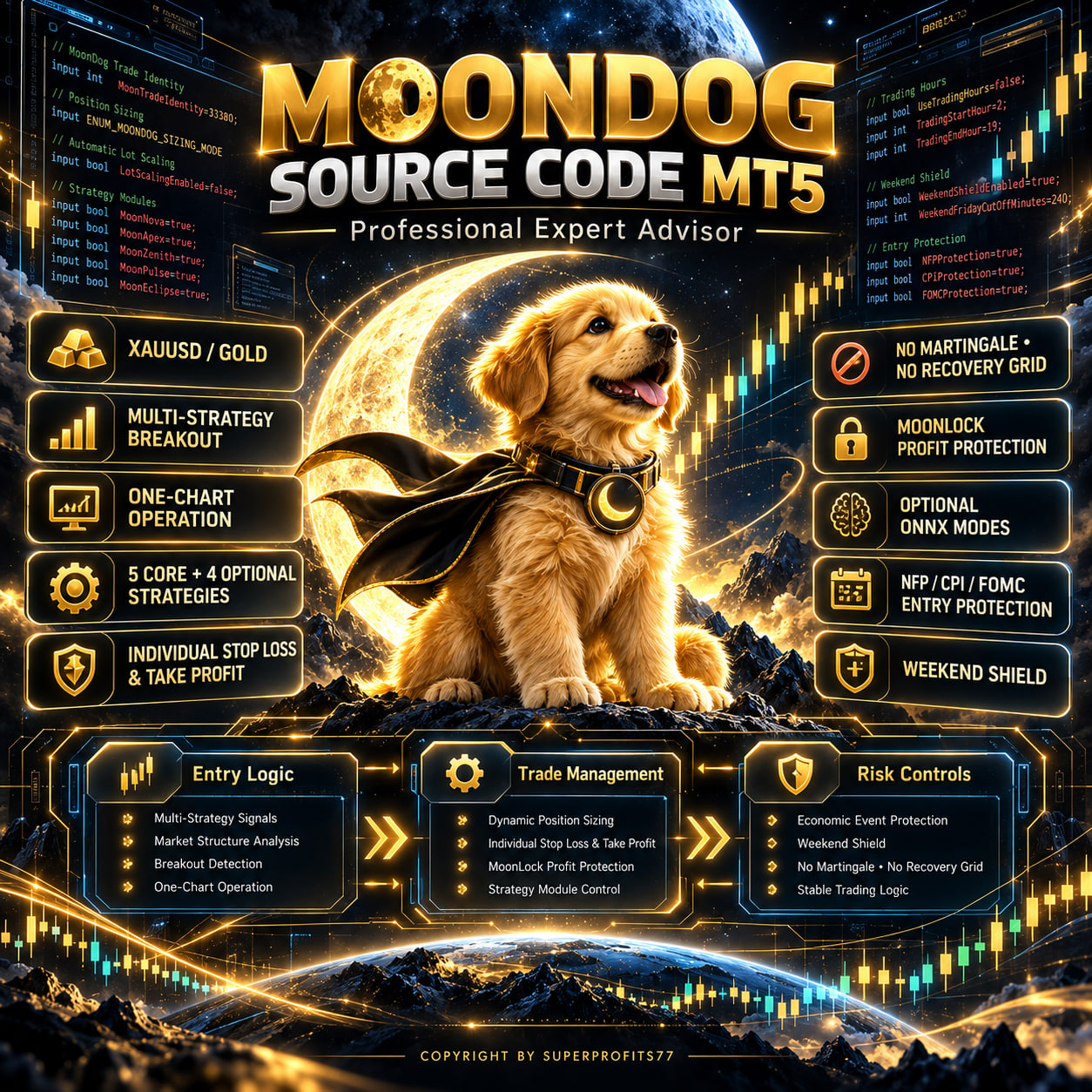
| Strategy modules | Five core modules, with four additional optional modules |
| Position sizing | Fixed lot and configurable percentage-risk options |
| Trade protection | Individual Stop Loss and Take Profit, plus MoonLock profit protection |
| Optional filtering | ONNX entry filtering and economic-event protection |
| Operating environment | MT5 terminal with Algo Trading enabled; reliable VPS hosting is recommended for continuous operation |
Important compatibility note:
The documented trading design is focused on XAUUSD. Confirm your broker’s exact Gold symbol, contract specifications, minimum lot, volume step, trading hours, and execution conditions before running the automated trading system.
💎 Core Features of MoonDog Source Code MT5
1. Multi-Strategy Breakout Architecture
MoonDog Source Code MT5 combines five core modules: Moon Nova, Moon Apex, Moon Zenith, Moon Pulse, and Moon Eclipse. Four additional optional modules—Moon Orbit, Moon Halo, Moon Titan, and Moon Comet—expand the available configuration choices.
Users can select a supported setup according to their testing objectives. Enabling more modules may increase trading activity and simultaneous exposure, so additional strategies should not automatically be considered safer or more profitable.
2. Individual Stop Loss and Take Profit
Each position is designed to have its own initial Stop Loss and Take Profit. This provides a defined trade-management framework instead of relying on a single account-wide exit level for every position.
Stop distances and profit targets must be checked against the selected setup and broker’s symbol specifications. Stops can limit intended trade exposure, but gaps, slippage, and execution delays may cause the realized result to differ from the planned level.
3. MoonLock Profit Protection
The MoonLock mechanism monitors eligible floating profit after its activation conditions are met. In the classic configuration, it aims to protect a portion of the highest recorded eligible profit by closing the position if the protection threshold is reached.
An optional adaptive profile uses different activation and protection settings for individual strategy modules. This means the protection parameters are tailored to each module; it should not be interpreted as a guarantee that the system learns market conditions or prevents losses.
4. Flexible Position Sizing
MoonDog Source Code MT5 provides fixed-lot and percentage-based risk settings, with additional optional sizing behavior described in its configuration. These controls let users choose a position-sizing approach suited to their own risk limits and testing plan.
Review every lot-sizing input carefully. Risk applies to each trade, and several strategies can hold positions simultaneously. Combined exposure can therefore exceed the risk you expect from looking at a single position in isolation.
5. ONNX Entry Filtering Options
The system offers optional ONNX-based entry filtering, including a more conservative mode, a mode intended to permit more entries, and an option to trade without ONNX filtering. The ONNX models run locally within the MT5 environment according to the product documentation.
Filtering changes how entries are evaluated; it does not predict every market movement or ensure profitable trades. Compare modes under consistent test conditions before deciding which configuration is appropriate.
✨ Advanced Capabilities for More Controlled Operation
🛡️ Economic-Event and Weekend Protection
The available settings include protection around major economic events such as NFP, CPI, and FOMC, together with weekend safeguards. Depending on the configuration, the system can pause new entries and request cancellation of its recognized pending orders during protected periods.
These functions do not guarantee that every pending order will be cancelled before execution, and they do not necessarily close positions already open. Review event windows and broker server time before testing.
📊 Trading Dashboard and Chart Controls
The documented interface includes a dashboard for viewing relevant trading and account information. Available controls can help users pause new entries, resume entries after a manual pause, cancel recognized pending orders, or request closure of recognized positions.
These controls remain subject to the system’s safety filters and the trading terminal’s connection. Confirm the state of open positions and pending orders directly in MT5 rather than relying solely on a panel display.
🔧 Configurable Inputs and Operating Schedule
The visible settings include trade identity, position-sizing mode, automatic lot scaling, strategy-module switches, trading-hour controls, and weekend protection. These options make it important to maintain a clear record of the settings used in each test.
For anyone evaluating MT5 source code or an Expert Advisor, changing one setting at a time makes it easier to understand how configuration changes affect order frequency, exposure, and drawdown.
⚖️ MoonDog Source Code MT5: Advantages and Limitations
| ✅ PROS | ❌ CONS |
|---|---|
| Multiple breakout modules in one MT5 workflow. | The main strategy design is focused on Gold rather than every market. |
| Individual Stop Loss and Take Profit management. | Market gaps, spread expansion, and slippage remain possible. |
| Optional MoonLock and ONNX configurations. | Advanced settings require careful setup and testing. |
| Economic-event and weekend entry safeguards. | Protection features cannot guarantee a maximum loss. |
| Fixed-lot and configurable risk approaches. | Multiple simultaneous positions can raise total account exposure. |
🏁 Conclusion: Is MoonDog Source Code MT5 Worth Testing?
MoonDog Source Code MT5 brings together multi-strategy breakout logic, individual trade exits, configurable position sizing, MoonLock profit protection, optional ONNX filtering, and safeguards for selected economic events and weekends. These features make it a structured option to evaluate for automated XAUUSD trading on MetaTrader 5.
The best configuration is not necessarily the one that generates the most trades. Evaluate consistency, drawdown, execution quality, and total exposure alongside profitability. If your intended purchase specifically requires editable MQ5 source files, verify that the delivered product includes the source code rather than only a compiled trading application.
⚠️ IMPORTANT RISK WARNING & DISCLAIMER
Trading Gold involves significant financial risk. No trading bot, indicator, backtest, or protective feature can guarantee profits or prevent losses. Historical results are not a reliable guarantee of future performance. Stop Loss, MoonLock, news filters, and weekend protection may not operate at an exact price or time because of gaps, broker restrictions, connection problems, spread changes, and slippage.
Recommended testing procedure before live trading:
- Confirm the product and files. Verify that the supplied files match your intended MT5 installation and confirm whether editable MQ5 source files are included if source-code access is important to you.
- Use a demo account first. Attach the system to the correct XAUUSD chart and confirm that Algo Trading is enabled. Check the broker’s Gold symbol name, contract size, minimum volume, volume step, spread, and trading hours.
- Start with conservative exposure. Begin with a small fixed lot, such as 0.01 where permitted by the broker, and verify that this size is suitable for your demo balance and account specifications. A small lot reduces exposure but does not eliminate risk.
- Check every setting. Review enabled strategy modules, Stop Loss, Take Profit, MoonLock, ONNX mode, trading hours, economic-event filters, Magic Number, and automatic lot scaling. Save a copy of the settings used for each test.
- Run a historical test. In MT5 Strategy Tester, use reliable tick data where available and realistic spread, commission, and slippage assumptions. Test different market periods and inspect drawdown, losing streaks, trade count, and exposure—not just net profit.
- Forward-test on demo. Let the system run through different sessions and, where practical, major news and weekend transitions. Monitor pending orders, rejected trades, stop placement, terminal logs, and whether protection behaves as expected.
- Change one variable at a time. Compare the default strategy setup with alternative module or ONNX configurations using the same test period and risk assumptions. Avoid selecting settings solely because they performed best on one historical sample.
- Decide only after sufficient evidence. Record results over a meaningful range of trades and market conditions. If the strategy does not meet your predefined risk limits, do not move it to a live account.
Live-trading reminder: If you eventually choose to trade live, use only capital you can afford to lose, keep position sizes conservative, and monitor the account. A reliable VPS may help maintain terminal availability, but it cannot remove market or execution risk.


Reviews
There are no reviews yet.